The Best AI Tools for Freelancers: Client Outreach and Proposal Writing:

📌 In This Guide You’ll Learn:
✅ How AI can help freelancers find and approach potential clients.
✅ Which parts of outreach AI can genuinely improve.
✅ How to use the best AI tools for freelancers to write better proposals without sounding robotic.
✅ The difference between personalisation and generic AI-generated spam.
✅ A practical AI-assisted outreach workflow.
✅ Prompts you can adapt for proposals and client communication.
✅ What to check before sending AI-assisted outreach.
⏱ Reading Time: 8–10 Minutes
Why Freelance Outreach Is Harder Than the Actual Work:
Many beginners assume that becoming a freelancer is mostly about learning a skill. Then they discover something uncomfortable. Being good at the work doesn’t automatically mean clients will find you. Freelancing using AI is all the rage today but it is important to know what the best AI tools for freelancers are if you want to remain competitive.
You also need to:
- Find potential clients.
- Identify suitable opportunities.
- Understand what the client needs.
- Write proposals.
- Follow up.
- Explain your value.
- Communicate professionally.
- Keep track of conversations.
For someone who is already trying to learn a freelance skill, this can feel like a second job.
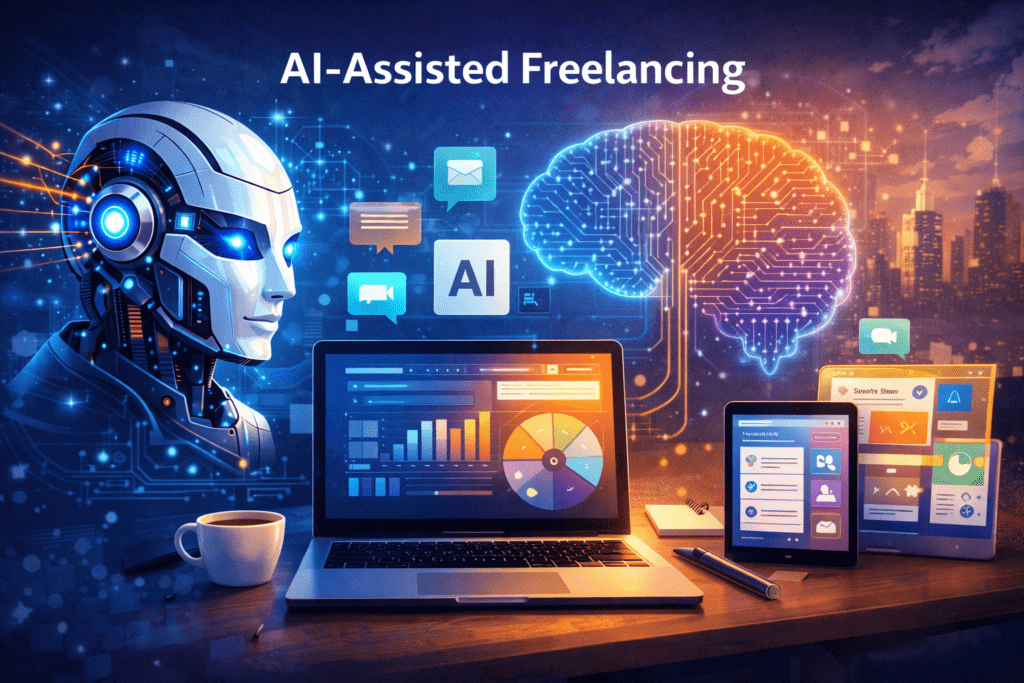
This is one area where AI can be genuinely useful. Not because AI can magically find customers for you. It can’t. But AI can help reduce some of the repetitive work involved in researching opportunities, organising information, drafting messages, and improving proposals. The important part is using AI to assist your judgment rather than replace it.
What AI Can Actually Do for Freelance Outreach:
AI can assist with several stages of the outreach process. For example: Research → Analyse → Draft → Personalise → Review → Send → Track
You could use AI to help:
- Summarise a client’s requirements.
- Identify the main problem in a job description.
- Brainstorm questions to ask.
- Draft a proposal.
- Improve clarity.
- Suggest alternative opening sentences.
- Organise follow-up tasks.
- Create a tracking system.
- Turn your rough notes into a professional message.
But there is an important distinction. AI can help you prepare an outreach message, but it shouldn’t decide whether the message is appropriate to send. That’s still your responsibility.
The Best AI tools for Freelancers are the Ones You Already Know How to Use…

You don’t need a huge collection of AI subscriptions to start. A capable general-purpose AI assistant can already help with much of the work involved in:
- Brainstorming.
- Research assistance.
- Drafting.
- Editing.
- Summarising.
- Organisation.
- Proposal preparation.
Depending on your workflow, you might also use specialist tools for writing, grammar, project management, CRM, or automation. But don’t make the classic beginner mistake of collecting tools instead of collecting results. One tool used well is more useful than ten tools you barely understand.
1. General-Purpose AI Assistants:
Tools such as ChatGPT, Claude, Gemini, and similar large language model assistants can help with the thinking and drafting side of outreach. For example, you can provide a job description and ask AI to:
- Extract the key requirements.
- Identify the client’s likely problem.
- Suggest relevant questions.
- Help structure a proposal.
- Review your draft.
The important thing is to provide the actual context. Don’t simply say: “Write me a freelance proposal.”
That produces generic writing. Instead, give the AI:
- The client’s requirements.
- Your relevant experience.
- Your proposed solution.
- Your portfolio information.
- Any constraints.
- The tone you want.
The output becomes much more useful.
2. Writing and Editing Tools:
AI-powered writing tools can help identify:
- Grammar problems
- Awkward wording
- Repetition
- Unclear sentences
- Excessive length
- Tone issues
That’s useful when you’re writing proposals quickly. But be careful.
A proposal doesn’t need to sound like a corporate press release. Clients generally want a person who understands their problem. A proposal that’s technically perfect but completely generic can still fail.
3. Research Tools:
Research-focused AI tools can help you understand a company or industry before approaching a potential client.
You might research:
- What the business does.
- Who its customers are.
- What services it provides.
- What content it publishes.
- What problems it appears to be experiencing.
The purpose isn’t to stalk every detail about a potential client. It’s to avoid sending an obviously generic message. Five minutes of sensible research can make a major difference to your outreach.
4. Project and Organisation Tools:
Once you start contacting potential clients, organisation becomes important.
You need to remember:
- Who you’ve contacted.
- When you contacted them.
- What service you offered.
- Whether they responded.
- What they asked for.
- When to follow up.
- Whether the opportunity is still active.
A simple spreadsheet, task manager, CRM, or project-management system can handle this. AI can also help turn messy notes into a cleaner tracking system. The exact tool matters less than actually tracking your outreach.
5. Proposal Templates:
Templates for client outreach can save considerable time.
But don’t confuse a template with a copy-and-paste message. Create a basic structure that you adapt for every client.
For example:
Opening…
Show that you understand the client’s situation.
Relevant Experience…
Mention only experience related to their problem.
Proposed Approach…
Briefly explain how you would tackle the work.
Deliverable…
Make clear what the client receives.
Next Step…
Give them an easy way to respond. That’s enough. A proposal doesn’t need to be an essay.

The Personalisation Problem:
This is where many AI-assisted freelancers get into trouble.
AI makes it incredibly easy to create: “Hi, I hope you’re doing well. I am excited to apply for this amazing opportunity…” followed by several paragraphs of generic text.
The problem? The client has probably seen it 50 times.
AI has made generic outreach easier. That means genuine personalisation is becoming more valuable. Personalisation doesn’t mean inserting the client’s name into a standard template. It means demonstrating that you actually read what they need. Human in the loop.
Weak vs Strong Outreach
Consider this: “Hi, I am an experienced freelancer and would love to help with your content needs. I have excellent communication skills and always deliver high-quality work.”
Nothing is technically wrong with it. But it could have been sent to almost anyone.
Now consider: “I noticed you’re looking for five product descriptions that need to match the tone of your existing catalogue. I’d approach this by first reviewing your current product pages, then creating the descriptions around the terminology and style you’re already using.”
The second message demonstrates understanding. It is still simple. That’s the point.
A Useful AI Prompt for Personalised Proposals:
Try: “Analyse the following freelance job description and help me prepare a personalised proposal. First identify the client’s main problem, required deliverables, important constraints, and any details I should address. Then suggest a concise proposal structure. Use only the experience and skills I provide below. Do not invent experience, qualifications, results, testimonials, or claims. Keep the tone natural and professional. The proposal should focus on the client’s needs rather than describing me unnecessarily.”
Then provide the job description and your experience.
That last instruction matters. Never let AI invent credentials for you.
Your Proposal Should Answer Three Questions…
Before sending, check whether your proposal answers:
1. Do You Understand My Problem?
The client should be able to see that you actually read the brief.
2. Can You Solve It?
Show relevant skills or experience.
You don’t need to list your entire career.
3. What Happens Next?
Make the next step simple.
For example: “If you’d like, I can send you a sample showing how I’d approach the first section.” That’s much easier to respond to than a huge sales pitch.
Don’t Let AI Lie for You!
This deserves its own section. AI may confidently generate statements that aren’t true.
It might suggest: “I’ve worked with dozens of businesses…” when you’ve worked with none.
- Or: “I increased a client’s conversions by 40%…” when no such result exists.
- Never use invented claims.
- Don’t exaggerate your experience.
- Don’t fabricate testimonials.
- Don’t claim certifications you don’t have.
- If you’re a beginner, be a beginner.
- You can still present yourself professionally.
Beginner Freelancers Can Compete on Relevance:
You may think: “Why would anyone hire me when there are experienced freelancers everywhere?”
Because clients don’t always need the most famous freelancer. They need someone who can solve their specific problem. A beginner who understands the brief and communicates clearly can sometimes be more attractive than an experienced freelancer who sends a generic application.
Your goal isn’t to convince everyone. It’s to find clients for whom your particular service is a good fit.
Use AI to Improve Your Research:
Before sending a proposal, ask AI to help you analyse the opportunity.
Try: “Review this freelance project description. Identify the client’s stated problem, the likely underlying problem, the exact deliverables requested, the skills that appear most important, and three useful questions I could ask before accepting the project. Do not assume information that isn’t provided.”
This can help you see things you might otherwise miss. But verify the interpretation yourself. AI can misunderstand context.
Use AI to Challenge Your Proposal
AI can also act as a reviewer.
After writing your proposal, try: “Act as a busy client who has received 30 proposals for this project. Review my proposal below. Tell me what would make you ignore it, what would make you keep reading, whether it demonstrates that I understand the project, and what I could remove or improve. Be critical rather than polite.”
That’s much more useful than simply asking: “Is this a good proposal?” You want useful criticism.
The 5-Minute Proposal Review:
Before clicking send, check:
☐ Did I actually address the client’s requirements?
☐ Did I mention relevant experience only?
☐ Did I avoid making claims I can’t prove?
☐ Does the proposal sound like a human wrote it?
☐ Did I remove unnecessary AI-generated filler?
☐ Did I personalise the message beyond the client’s name?
☐ Is the proposal easy to read?
☐ Did I clearly explain the next step?
☐ Did I proofread the final version?
If you can answer yes to those questions, you’re in a much better position to send it.

Don’t Send Hundreds of AI Proposals!
This is one of the worst ways to use AI for freelancing. Because AI makes writing fast, you may be tempted to send 100 proposals a day.
But if they’re generic, you’re simply producing more noise.
Instead: Find → Research → Qualify → Personalise → Send → Track → Learn
A smaller number of well-targeted proposals can provide much more useful feedback. You also protect your reputation. Apply the best AI tools for freelancers and enhance your chances of landing a client.
Create a Simple Outreach Workflow:
Here’s a practical system you can repeat.
Step 1 — Find an Opportunity.
Search a relevant freelance platform, business directory, professional network, or your own contacts.
Step 2 — Qualify It.
Is the project actually suitable for your skills?
Step 3 — Read Carefully.
Understand what the client wants.
Step 4 — Research.
Look for useful context.
Step 5 — Draft.
Use AI to help structure your response.
Step 6 — Personalise.
Add genuine observations and relevant details.
Step 7 — Review.
Check accuracy, claims, tone, and clarity.
Step 8 — Send.
Don’t endlessly edit a 200-word proposal.
Step 9 — Track.
Record what you sent and when.
Step 10 — Learn.
Look for patterns in responses. That’s your AI-assisted outreach system.
What About Follow-Ups?
Following up can be useful. But don’t become annoying. If you’ve sent a legitimate proposal and haven’t received a response, one polite follow-up may be appropriate depending on the platform and situation.
For example: “Hi [Name], just following up on my previous message regarding [project]. I know you’re likely busy, so I wanted to check whether you had any questions about my approach.”
- Short.
- Professional.
- No pressure.
If there is no response, move on.
Measure What Actually Matters…
Don’t obsess over how many proposals you send. Track useful information.
For example:
- Proposals sent
- Responses received
- Conversations started
- Calls or discussions
- Projects won
Then ask: “Where am I losing people?” If nobody responds, your targeting or opening may need work. If people respond but don’t hire you, your offer, pricing, portfolio, or communication may need improvement. That’s useful information and understanding, and how to use the best AI tools for freelancers.
Your First Goal Isn’t 100 Clients:
It’s one. One person saying: “Yes, let’s work together.”
That first project teaches you more than another 50 hours of watching tutorials.
You’ll learn:
- What clients actually ask for.
- How long the work takes.
- What parts are difficult.
- What needs clarification.
- What your workflow should look like.
- What you might charge next time.
That’s how freelancing becomes a real skill rather than a theoretical idea.
A Practical 24-Hour Outreach Plan:
If you’re ready to test this approach, try this.
Hour 1.
Choose one freelance service.
Hour 2.
Define your ideal client.
Hour 3.
Find five suitable opportunities.
Hour 4.
Research them.
Hour 5.
Draft one proposal structure.
Hour 6.
Use AI to critique and improve it.
Hour 7.
Personalise your first proposal.
Hour 8.
Send it. Then repeat the process with a small number of genuinely suitable opportunities. Don’t spend the remaining hours creating 17 different proposal templates. Get the message into the real world.
The Real Advantage of AI:
The biggest benefit isn’t that AI lets you write proposals in 30 seconds. It’s that it can help you build a repeatable process.
Instead of: Search → Panic → Write → Send → Forget you can create: Find → Qualify → Research → Draft → Personalise → Review → Send → Track → Improve
That is a system. And systems become more valuable as you gain experience. For client outreach, the best AI tools for freelancers can streamline your business…
🚀 Turn Outreach Into a Freelancing System:
Finding potential clients is only one part of becoming a successful freelancer. You also need a clear service, a useful offer, a way to approach prospects, and a repeatable workflow for delivering work. If you’re ready to put those pieces together, the AI-Assisted Freelancer Training™ takes the process beyond individual proposals and into a practical beginner-friendly freelancing system.
Frequently Asked Questions:
What are The Best AI tools for freelancers for freelance proposals?
There isn’t one universally best tool. A capable general-purpose AI assistant can help with research, drafting, editing, and proposal review. The quality of your input and your own judgment matter more than constantly switching tools.
Can AI write my entire freelance proposal?
It can help draft one, but you should provide the real project details and your genuine experience, then review and personalise the final result yourself.
Is it okay to use AI when applying for freelance jobs?
AI can be useful for brainstorming, organising information, and improving writing. However, you should follow the rules of the platform or client and remain responsible for what you submit.
How do I make an AI-generated proposal sound human?
Don’t simply copy the first draft. Add genuine observations about the project, remove generic filler, use your natural communication style, and make sure every claim is true.
Should I send lots of proposals every day?
Quantity isn’t the only factor. A smaller number of relevant, personalised proposals may be more useful than sending large numbers of generic applications.
Can AI find freelance clients for me?
AI can help you research opportunities, organise information, and improve your search process. It doesn’t guarantee clients and shouldn’t replace your own judgment about which opportunities are worth pursuing.
What if I have no freelance experience?
Focus on relevant skills, samples, and your ability to understand and solve the client’s problem. Never invent experience or results.
Should I mention AI in my proposal?
Only if it’s relevant to the project or your workflow. The client is generally interested in the result, not simply which software you used to produce it. The goal is to become a better, more efficient freelancer because you know how to use best AI tools for freelancers effectively.
Useful Links:
- 10 AI Gigs You Can Start Without Technical Skills
- How to Start Freelancing With AI When You Have No Experience
- How to Create Your First Freelance Offer Using AI
- How to Choose a Freelance Skill as a Beginner
- The Ultimate Guide to AI-Assisted Freelancing
- 7 High-Paying Freelance Skills
- Freelance Blueprint